


ArtPic: Photo & Video Editor
4.5153.00 Reviews
App Specs
- Version
- 1.0.45
- Updated On
- License
- Free
- Downloads
- 10,000,000+
- Developer
- AdoreApps Media
- Categories
- Art & Design
- Platform
- Android
Screenshots
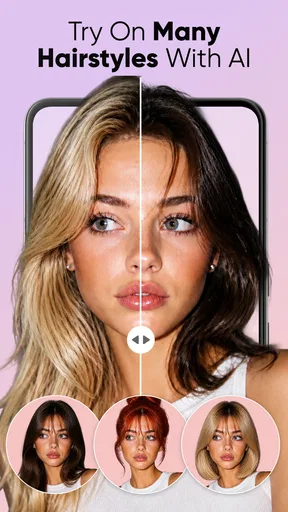

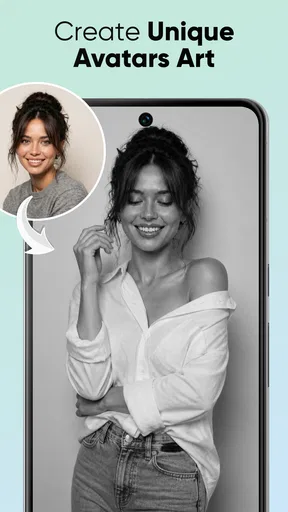
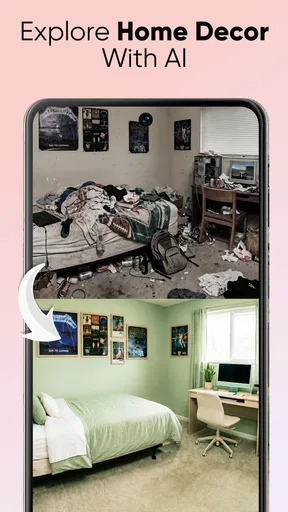
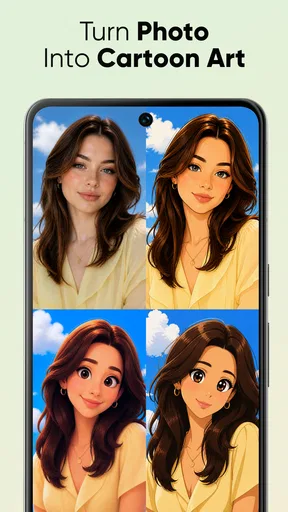


 Analysis by AppCompare
I’d judge ArtPic less by the promise of instant creativity and more by a practical question: does a free, phone-based editor make it easier to turn a casual photo or clip into something worth sharing? That’s the appeal here. It brings photo, video, and playful face effects into one place, which can be handy when I want to experiment without opening several apps. It isn’t a substitute for careful desktop work, though, and the best fit depends on whether you enjoy quick visual experiments or need precise control.
What the free starting point means
ArtPic: Photo & Video Editor is free to install, while in-app purchases range from $2.99 to $129.99 per item. That makes it easy to try the basic experience before deciding whether anything paid is worth considering. The spread is wide, so I’d check the actual purchase screen and what an item unlocks before spending; I wouldn’t assume that every creative tool is included at no cost or that the most expensive option is necessary.
For me, the sensible approach is to begin with one small project, such as a portrait edit or a short clip, and see how far the free access takes me. If I hit a restriction, I can then decide whether that specific extra matters enough to pay for. Someone who only wants an occasional face effect may have a very different idea of value from someone who edits often, so the purchase range alone doesn’t tell the whole story.
Where the value comes from
The practical value is having several kinds of creative play close together: face transformations, AI avatar generation, photo edits, and video work. I like that combination for informal projects where speed matters more than exacting adjustments. Instead of planning a polished campaign, I might make a funny portrait for a group chat, try an avatar look, or give a casual clip a more expressive finish.
ArtPic is an art-and-design app from AdoreApps Media. It has a 3.4 average from around 15,000 ratings, and more than five million installs. Those figures suggest that plenty of people have tried it, but I wouldn’t treat popularity as proof that every tool will suit my taste. The rating is more a reason to keep expectations measured: this looks like an accessible creative app to test, not a guaranteed replacement for a dedicated editor.
Tradeoffs to keep in mind
The Teen age rating is worth noticing if you’re choosing an app for a younger user, particularly because face transformations and sharing can encourage people to post playful edits. I’d still use ordinary judgment about what gets shared and with whom. A funny altered portrait can be harmless among friends but awkward if it’s posted without the person’s permission.
Another tradeoff is breadth versus precision. Having photo and video tools together is convenient, but a person who needs detailed color work, careful timelines, or a tightly controlled export workflow may prefer a specialist editor. Likewise, AI avatars are best approached as a creative effect, not as a faithful representation of what someone looks like. If a natural, untouched portrait is the goal, a standard camera or basic editing tool is a better match.
Worth Reading Before You Choose

Switching to Android Auto Means Rethinking Your Driving Routine

Google Calendar Makes a Crowded Week Easier to Manage

Baby Panda World Brings Quick Play to Modern Phones, but Its Game Library Feels Busy

ESPN’s Live Game View Makes Following Close Games Easier

QuizzLand Review: A Good Fit for Short Trivia Breaks, Not Every Player

Basketball Stars: Multiplayer Is Fast, but Can It Recover When Matches Go Wrong?
Who is likely to enjoy it
I’d point casual creators toward ArtPic if they like trying different looks and want an uncomplicated way to make social-ready experiments on a phone. It may also suit someone who wants to explore AI avatar styles without first learning a complex design program. The app is free to start, runs on Android 7.0 or later, and its current version is 1.0.30, so it’s aimed at people using compatible Android devices who are comfortable with a mobile-first workflow.
I’d skip it if I were looking for a dependable professional production tool, a strictly natural photo retoucher, or a predictable one-time purchase. The paid items vary substantially in price, and I’d want to understand the exact benefit before committing. People who mainly need accurate cuts, clean typography, or repeatable edits may get more control from an editor built around those tasks.
First Impressions and Interface
As soon as you fire up ArtPic, you're greeted with a sleek, user-friendly interface. It's like the app is saying, "Hey, relax, I've got you covered." The layout is intuitive, making it easy for even the most tech-challenged folks to navigate. I mean, who has time to read a manual these days, right? You’ll find all the main tools neatly organized, so you can jump straight into the action.
Photo Editing Features
One of the things I adore about ArtPic is its extensive range of photo editing tools. There's everything from basic edits like cropping and brightness adjustments to more advanced features like filters that rival those of top-tier editing software. And let’s talk about those filters—they're not just your average, run-of-the-mill Instagram-style filters. These are professional-grade, transforming even the most mundane photo into something worthy of a gallery.
Video Editing Capabilities
Now, onto the video editing—I'm not exaggerating when I say it’s a game-changer. I’ve tried my fair share of video editors, and the ease with which you can splice, dice, and jazz up your clips here is unmatched. The app offers a variety of transitions and effects that make your videos pop. Plus, the ability to add music tracks is the cherry on top, allowing you to create short masterpieces that are perfect for sharing on social media.
Creative Tools and Features
If you’re someone who loves to doodle or add personal touches to your photos and videos, you’ll love the drawing and text tools. Whether you’re jotting down a quick note or creating a detailed sketch, the app’s precision tools make it easy to get the look you want. And let’s not forget about the sticker library—it’s packed with fun, trendy options that keep your creations fresh and exciting.
Performance and Usability
Performance-wise, ArtPic is as smooth as butter. I didn’t experience any lag or crashes, which is crucial when you’re in the middle of a creative flow. The app is also lightweight, so it doesn’t take a toll on your device’s memory. Whether you’re working on a high-res photo or a lengthy video, the app handles it with ease.
Community and Sharing
Another feature that stands out is the community aspect. ArtPic provides a platform for users to share their creations, which is a fantastic way to gather inspiration and feedback. It’s like a mini social network for creatives. Plus, sharing your work directly to other social media platforms is a breeze, making it easy to showcase your talents to the world.
Making a project feel intentional
A useful way to approach an all-in-one editor is to decide what the finished image or clip is for before opening the effects. For a profile portrait, I’d keep the face treatment restrained and check whether the result still looks like the person. For a playful group-chat image, I’d be more willing to push the transformation. That simple distinction helps prevent an amusing effect from becoming an edit that feels wrong for its audience.
For a short video, I’d choose the strongest moment first rather than piling on transitions. A transition can help connect two scenes, but several competing effects can make a casual clip harder to follow. I’d also listen to the clip after adding music: the point is to support the moment, not bury speech or other useful sound. These are small choices, but they make a bigger difference to the finished result than adding every available decoration.
A realistic everyday workflow
Imagine I take a quick photo before meeting friends and want something amusing to share later. I could try a face effect, compare it with the untouched image, and then decide whether an avatar-style result is fun enough to send. I’d keep the original available until I’m happy with the edit, especially when experimenting with a strong transformation. If the image is going beyond a private chat, I’d ask the people in it first rather than treating a funny edit as automatic permission to post.
For a family moment or a small event clip, I’d take a different route: pick a short section, use a modest effect, and avoid making the edit so busy that the actual moment disappears. This is where a combined photo-and-video app can save time compared with moving between separate tools. The tradeoff is that a dedicated video editor may offer a more deliberate workflow when I need close timing or a longer sequence.
How it compares with familiar alternatives
Compared with a basic phone gallery editor, ArtPic is better suited to playful transformations and creative add-ons than to simply correcting a photo and moving on. Compared with a social platform’s built-in effects, a separate editing app can be useful when I want to prepare an image or clip before choosing where to share it. But if all I need is a quick crop or a modest brightness adjustment, the built-in editor is often the faster choice and avoids adding another step.
Against specialist photo or video apps, the appeal is convenience rather than guaranteed depth. A focused photo editor is a stronger choice when I need repeatable, careful image adjustments; a dedicated video app makes more sense for a project that depends on precise sequencing. ArtPic’s mix is most compelling when the goal is experimentation across formats, not when I need one narrow task done with maximum control.
Small decisions that prevent frustration
Before investing time in an edit, I’d test the effect on a duplicate or a throwaway image rather than starting with the only copy of an important photo. I’d also judge a result at normal viewing size, not just while zoomed in: an avatar or filter that looks striking on a small screen can feel excessive when viewed as a full image. If the first effect is too strong, backing off or trying a simpler treatment is often more effective than layering more effects over it.
When considering a paid item, I’d make the decision only after I know what I want to accomplish and have reached the relevant limit in my own workflow. The price range makes it especially important not to buy on impulse. I’d ask myself whether the feature solves a recurring problem or whether I’m simply curious about it today. If I’m only experimenting once, sticking with free access is the more cautious choice.
Questions worth answering before you start
Is it free to use? It is free to install, with optional in-app purchases; those purchases are not all the same price, so I’d inspect each item before confirming anything. Is it for Android or iOS? The compatibility detail here is for Android, with Android 7.0 or later required, so I’d check the platform and device requirements before planning around it. The app is rated for Teens, which is another useful consideration for families.
Will it replace a professional editor? I wouldn’t count on that if a project needs fine control and a predictable production process. Is an AI avatar a realistic portrait? I’d treat it as an interpretation or playful style, not a faithful likeness. And is it worth trying if I only edit occasionally? Probably, if I’m interested in the face effects and avatar creation; for a rare crop or light adjustment, the phone’s built-in tools may be enough.
Final Thoughts
In a nutshell, ArtPic: Photo & Video Editor is a must-have for anyone looking to elevate their creative projects. It’s got all the tools you need, wrapped up in a package that’s both powerful and easy to use. Whether you’re a seasoned pro or just starting out, this app is sure to spark your creativity and take your media editing skills to the next level. So, if you haven’t already, give it a whirl—you might just find your new favorite app.
My more measured verdict is that ArtPic makes sense as a free starting point for people drawn to expressive face edits, avatar experiments, and quick visual projects. I’d try it with an everyday photo first, keep expectations sensible, and spend only if a particular paid option clearly improves the way I use it. If accuracy, deep editing control, or a straightforward edit without effects matters more, I’d choose a simpler or more specialized alternative instead.
Pros
- Intuitive user interface for easy editing.
- Wide range of filters and effects.
- Supports both photo and video editing.
- Regular updates with new features.
- High-quality output and export options.
Cons
- Some features require in-app purchases.
- Occasional ads can interrupt workflow.
- Large app size may affect storage.
- Limited free version features.
- Requires internet for certain functionalities.
FAQs for ArtPic: Photo & Video Editor
What features does ArtPic: Photo & Video Editor offer?
ArtPic: Photo & Video Editor provides a comprehensive suite of tools for editing both photos and videos. Users can enjoy features such as filters, effects, cropping, rotating, and more. Advanced tools include AI enhancements, background removal, and customizable templates, making it suitable for both casual users and professional creators.
Is ArtPic: Photo & Video Editor free to use?
ArtPic offers a free version with basic features and a selection of filters and effects. However, to access the full range of tools and premium content, users need to subscribe to a paid plan. The subscription unlocks additional features and removes ads for a more seamless editing experience.
Does ArtPic support high-resolution editing?
Yes, ArtPic supports high-resolution photo and video editing to ensure quality output. Users can edit their media without worrying about losing detail, making it an excellent choice for those who need professional-grade results. The app maintains the resolution throughout the editing process.
Is ArtPic easy for beginners to use?
Absolutely, ArtPic is designed with an intuitive interface that caters to both beginners and advanced users. It offers guided tutorials and tips to help new users get started. The layout is user-friendly, allowing easy navigation between tools and features, making it approachable for all skill levels.
Can I share my edited photos and videos directly from ArtPic?
Yes, ArtPic allows seamless sharing of your edited photos and videos directly from the app. Users can easily share their creations on social media platforms like Instagram, Facebook, and Twitter, or save them to their device. The app integrates well with various platforms for convenient sharing.


